MarkeMark

Markdown, simplified

A free Mac app. Press Space on any .md file in Finder and see it rendered.

3 killer features

01 — The spacebar trick

Quick Look for .md files

Select any .md or .markdown file in Finder and press Space. You get a rendered preview: headings, code blocks, tables, inline images. No app to launch, no setup. Works for any folder you've opened once. New to Quick Look?
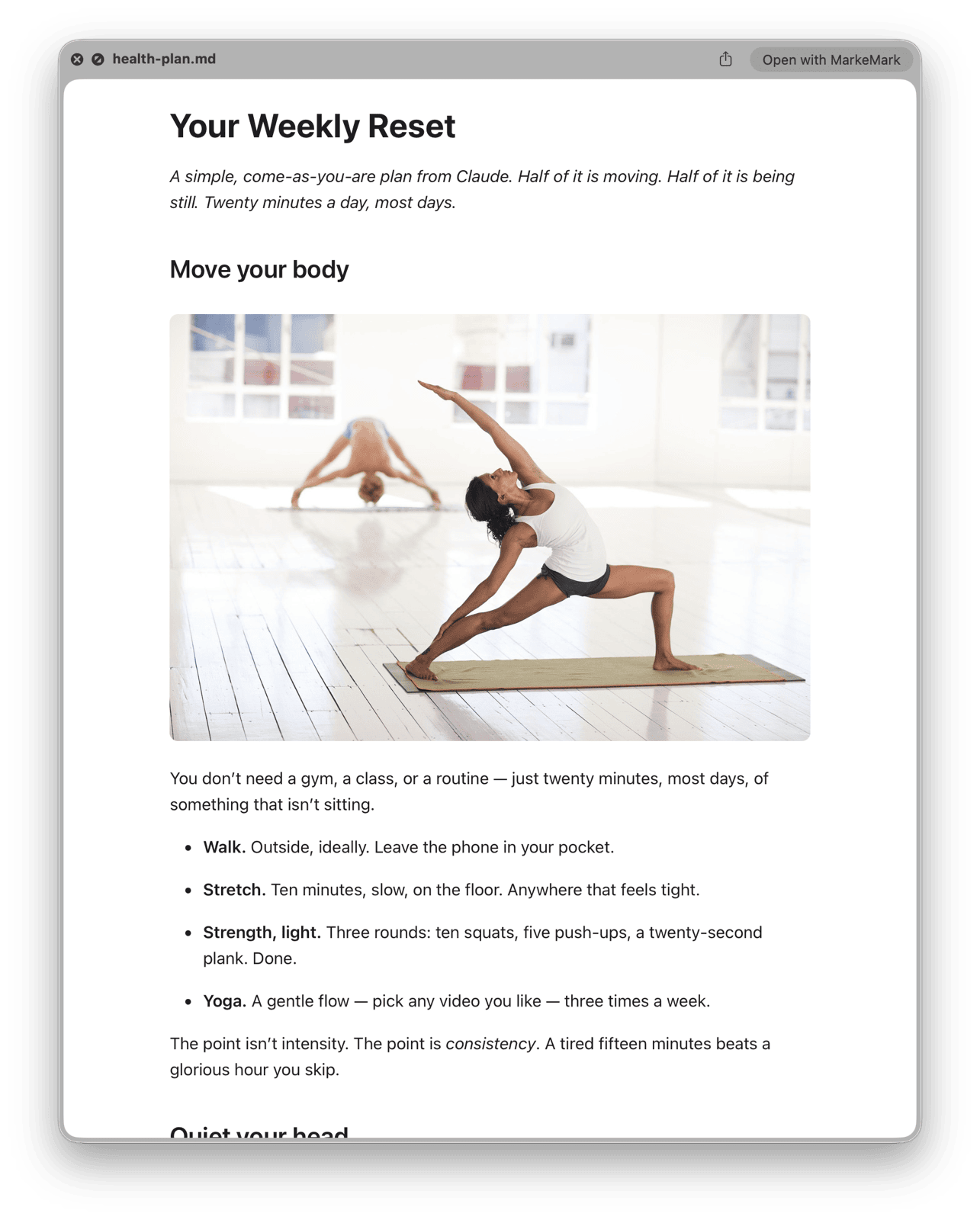
Finder Quick Look preview showing a rendered markdown file with an inline image
02 — Print without pain

Print & PDF with multi-column reflow

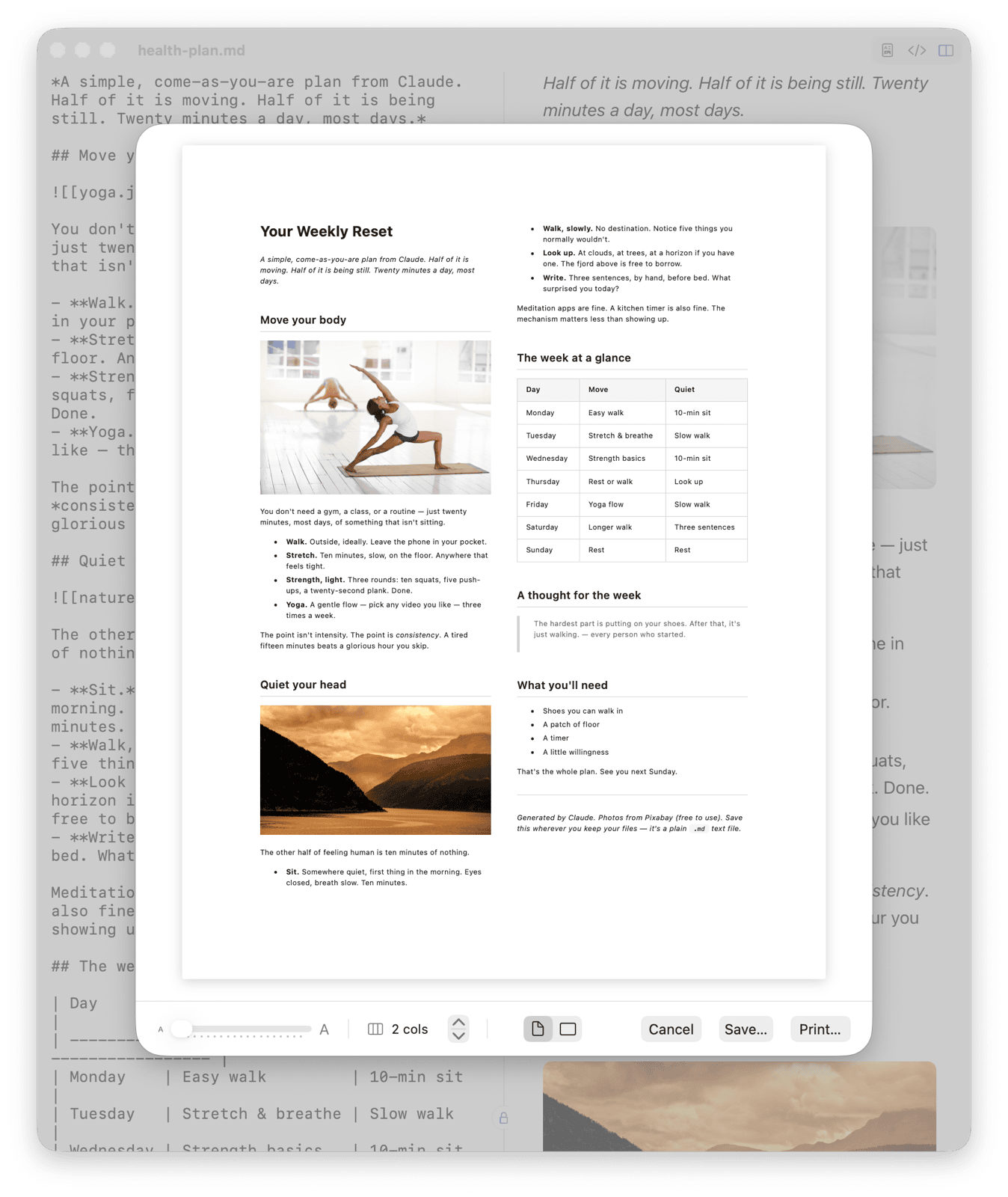
Cmd+P opens a live print preview with 1–9 columns, portrait or landscape, and a zoom slider that reflows text across the page. Print to paper or export as PDF from the same sheet. Perfect for checklists, schedules, reference cards. How printing works

MarkeMark print preview showing markdown reflowed across two columns with tables, images, and a blockquote
03 — Drop & render

Inline images that just work

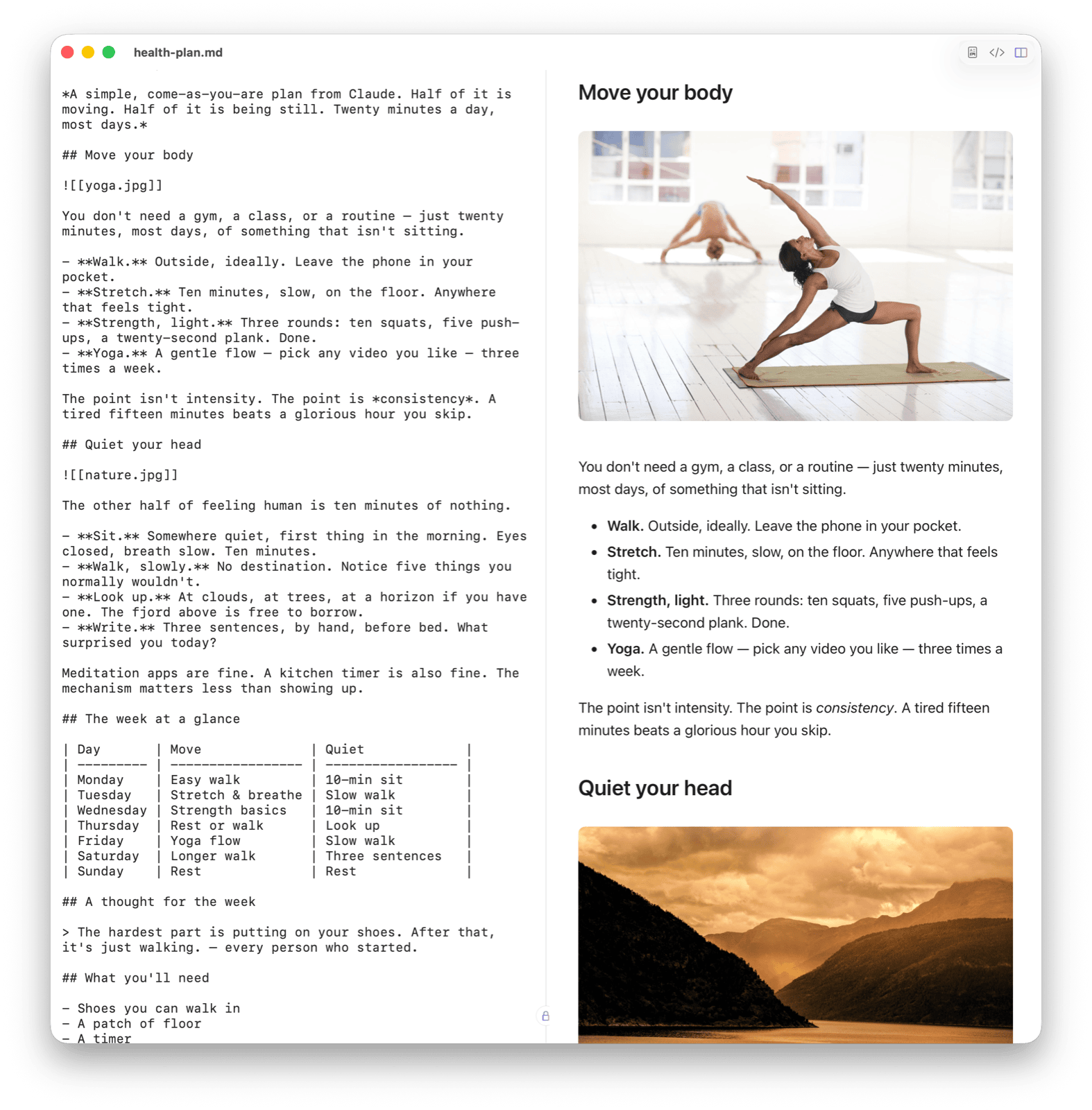
Obsidian-style embeds (![[screenshot.png]]) and relative paths render in preview and Quick Look. Your notes stay as plain .md on disk, images stay as files next to them. Nothing gets walled off in a proprietary vault.

Split-pane MarkeMark view: markdown source with Obsidian-style image embeds rendered as inline photos on the right
Also a real editor

When you want to write, too.

Split pane

Raw markdown on the left, rendered preview on the right. Or just one, or the other.

Edit either side

Both panes are the same document, so you type real markdown in either one. Nothing gets converted.

Syntax highlighting

Code blocks look great. Fully offline, like everything else in the app.

Dark mode

Follows your system, or pick one manually. This site does too.

Keyboard shortcuts

⌘1Preview only
⌘2Editor only
⌘3Split view
⌘FFind
⌘PPrint / PDF
⌘SSave
⌘BBold
⌘IItalic
⌘KAdd link
New

MarkeMark on your iPhone and iPad.

Same idea, small screen. Put a markdown file anywhere in the Files app and tap it: it renders properly instead of showing you raw source, and you can swipe left and right through the rest of the folder. It also shows the config files iOS normally previews as a blank page, like .yaml, .toml and .env.

It is a viewer for now, so no editing yet. Free, no account, and it collects nothing at all.

Questions

FAQ

What is Quick Look?

Quick Look is the preview built into every Mac. Click a file in Finder, press the Space bar, and a window pops up showing what's inside, without opening any app. Press Space again and it's gone.

Your Mac already does this for photos, PDFs and Word files. A markdown file shows up as raw text, with all its # and * marks. MarkeMark teaches Quick Look to read markdown, so Space shows the file the way it's meant to look: real headings, tables, code and images.

How do I install it?
  1. Download the DMG using the button above.
  2. Open the DMG and drag the app into your Applications folder.
  3. Double-click to launch. If macOS asks, click Open: the app is signed and notarized by Apple.
How do I set up Quick Look for markdown files?

No setup needed. The Quick Look extension activates automatically once the app is in your Applications folder.

Select any .md or .markdown file in Finder and press Space. You'll see a fully rendered preview with syntax highlighting, headings, lists, code blocks, and inline images, without opening the file.

The preview respects your system's light/dark mode automatically.

Quick Look isn't working. What do I do?
  1. Make sure the app is in /Applications (not Downloads or Desktop).
  2. Open it at least once so macOS registers the extension.
  3. Check that it's switched on. macOS 15 or later: System Settings > General > Login Items & Extensions, then Quick Look under Extensions. macOS 13 or 14: System Settings > Privacy & Security > Extensions > Quick Look.
  4. If another app is handling markdown previews, disable its extension first.
  5. As a last resort, relaunch Finder: Option-right-click the Finder icon in the Dock, choose Relaunch.

More detail: how to preview markdown in Finder.

What are the system requirements?

macOS 13 (Ventura) or later. Universal binary for Apple Silicon and Intel.

Is it really free?

Yes, completely. No sign-up, no upsell.

Can I edit the rendered preview directly?

Yes. Click into the preview pane and type: bold, add links, change headings. Both panes are two views of one document, so you're editing the same markdown either way and nothing has to convert between them. Edit on the left and the right updates instantly, and the other way round.

How was this built?

Entirely with Claude Code, Anthropic's AI coding assistant: the app, the Quick Look extension, and this website.

A small love letter

Thank you, John.

In 2004, John Gruber decided writing on the web shouldn't require HTML. With a little help from Aaron Swartz, he shipped Markdown, a format so readable it barely looks like a format at all.

Twenty years later, it's how Claude answers, how GitHub speaks, how half the internet's notes get written. An asterisk is still just an asterisk. A pound sign is still just a heading. The simplicity was the whole point, and it's held.

This app only exists because that one does. Thanks, John. Thanks, Aaron.

— With # and *, forever.

Colophon

Built by one person,
with Claude Code.

MarkeMark is a solo project, nights and weekends, written end-to-end with Claude Code, Anthropic's terminal coding agent. Swift app, Quick Look extension, print engine, DMG signing, notarization, and this site.

If it saved you time or sparked an idea, I'd love to hear from you.

One more thing

Know when the next build ships.

MarkeMark updates itself: a new version downloads in the background and installs when you quit, so you're always current. Want to see what changed? The changelog has every release.